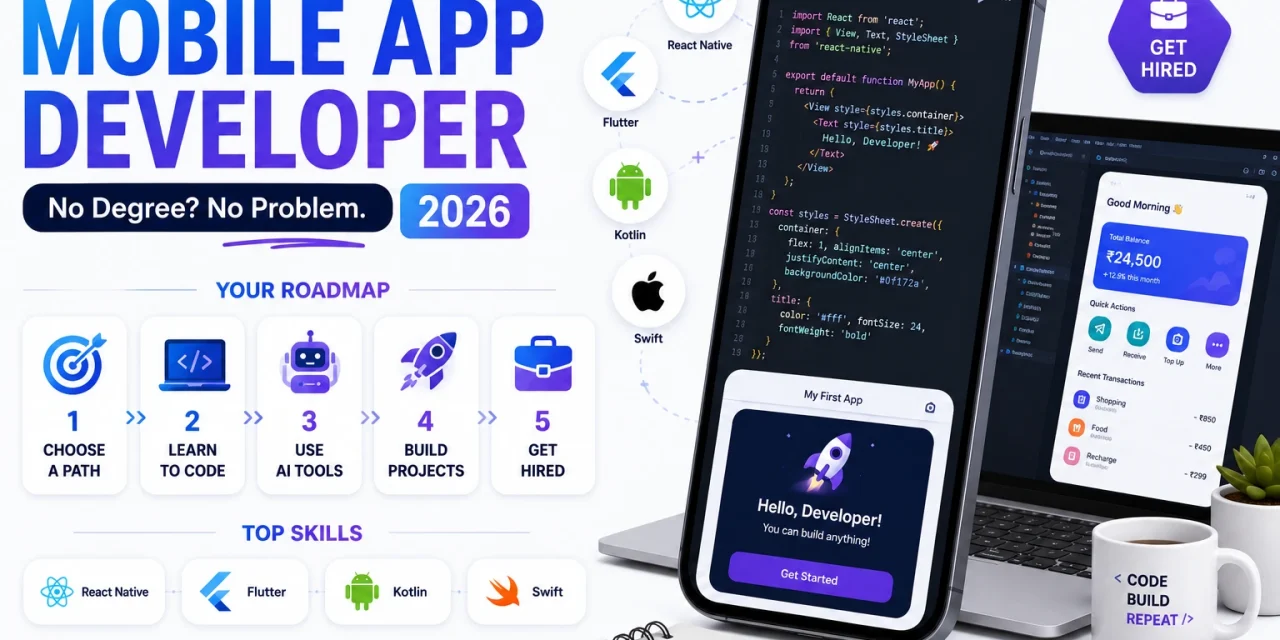
The mobile app development field has historically been seen as requiring a computer science degree, but the reality in 2026 is significantly more flexible. Companies hiring mobile developers increasingly prioritise demonstrated skill and a strong portfolio over formal credentials, particularly for entry-level and mid-level positions. This guide covers the complete path from zero experience to job-ready mobile developer without requiring a traditional degree program.
Step 1 – Choose Your Specialisation
Mobile development splits into several paths and choosing your initial focus shapes your entire learning journey. Native Android development uses Kotlin, native iOS development uses Swift, and cross-platform development uses frameworks like React Native or Flutter that allow building for both platforms from a single codebase.
For beginners in 2026, cross-platform development with React Native or Flutter is generally the more efficient starting point. You learn one set of skills that applies to both major platforms, and the demand for cross-platform developers has grown significantly as companies seek to reduce development costs by maintaining a single codebase rather than separate native iOS and Android teams.
Step 2 – Build a Structured Learning Foundation
- For React Native: start with JavaScript fundamentals, then React fundamentals, then React Native specifically. The official React Native documentation at reactnative.dev provides a structured tutorial path
- For Flutter: start with Dart language basics, then Flutter widgets and state management. The official Flutter documentation at flutter.dev includes excellent codelabs for hands-on learning
- For native Android: Kotlin fundamentals followed by Jetpack Compose for modern UI development, using the free Android Basics with Compose course
- For native iOS: Swift fundamentals followed by SwiftUI, using Apple’s free Swift Playgrounds app and the official Develop in Swift curriculum
Step 3 – Use AI Tools to Accelerate Learning
Learning to code in 2026 is significantly faster with AI coding assistants than it was even three years ago. When you encounter an error or do not understand a concept, asking Claude or ChatGPT for an explanation tailored to your specific code and current understanding level provides immediate, contextual help that generic tutorials cannot match.
The important discipline is using AI as a learning accelerant rather than a replacement for understanding. Ask the AI to explain why a solution works, not just to provide the solution. Type out code suggestions manually rather than copy-pasting, which builds muscle memory and pattern recognition that pure copying does not develop.
Claude is available at www.claude.ai and ChatGPT at www.openai.com. Cursor at www.cursor.com provides AI assistance directly within a code editor.
Step 4 – Build a Portfolio That Demonstrates Real Skill
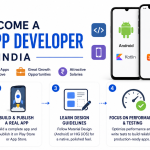
Tutorials teach syntax but employers hire based on demonstrated problem-solving ability shown through real projects. Build three to five complete apps that solve genuine problems rather than following tutorials exactly. A weather app, a to-do list app, and a simple e-commerce browsing app are common beginner projects – the differentiation comes from adding your own features, handling edge cases properly, and writing clean, well-organised code rather than just making the basic version work.
Publish your portfolio apps to GitHub with clear documentation explaining what each app does, what technologies were used, and what specific challenges you solved during development. For at least one project, go through the full process of publishing to the Google Play Store or Apple App Store – this demonstrates you understand the complete development lifecycle, not just the coding portion.
Step 5 – Contribute to Open Source Projects
Contributing to established open-source mobile projects on GitHub provides several advantages over solo projects alone. You learn to read and work within existing codebases rather than only your own code, you receive code review feedback from experienced developers, and your contributions become visible to potential employers who review GitHub activity during hiring decisions.
Start with small contributions – fixing documentation, resolving simple bugs labelled as good for beginners – before attempting larger feature contributions. Most popular open-source projects label issues specifically suited for first-time contributors.
Step 6 – Network and Apply Strategically
Join mobile development communities on Discord, Reddit, and LinkedIn where developers share opportunities and discuss the field. Attend virtual or in-person meetups for React Native, Flutter, or whichever specialisation you chose – these communities frequently share job openings before they reach general job boards.
When applying for positions, target companies and roles where your portfolio demonstrates relevant capability rather than applying broadly to every listing. A startup building a consumer app benefits more from seeing your published consumer-facing portfolio app than from a generic resume listing technologies without context.
Realistic Timeline and Salary Expectations
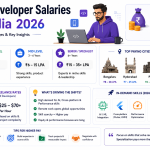
A disciplined, full-time learning effort can produce a job-ready portfolio within six to nine months for most learners with no prior programming background. Part-time learning while working another job typically takes twelve to eighteen months to reach the same readiness level. Entry-level mobile developer salaries in India in 2026 range from four to eight lakhs per year depending on city and company size, with remote international opportunities for skilled developers offering significantly higher compensation in many cases.
Where to Find Your First Job
Search dedicated tech job boards including www.angel.co for startup roles, www.linkedin.com for broader company searches, and www.remoteok.com for remote-first opportunities. Indian developers specifically should also explore www.naukri.com and www.instahyre.com for domestic technology roles.