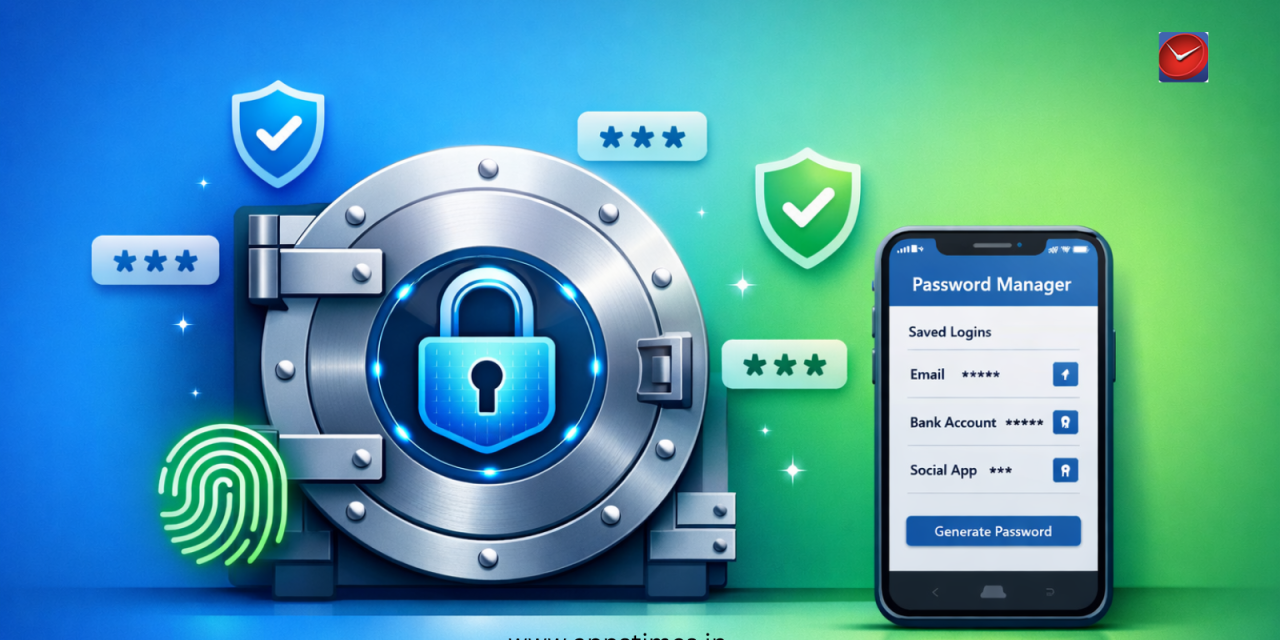
Password security has become critical in 202, with Indians managing an average of 87 online accounts requiring unique login credentials. Using the same password across multiple services—still practiced by 62% of Indian internet users—creates catastrophic vulnerability when breaches occur. Password manager apps solve this crisis by generating, storing, and auto-filling complex passwords across all your devices, requiring you to remember just one master password. The Indian password manager market grew 210% in 2024 as awareness of digital security increased following high-profile data breaches affecting millions. This comprehensive review compares the best password managers available in , examining security features, pricing, cross-platform support, and ease of use to help you protect your digital identity effectively
Why Password Managers Are Essential Security Tools
Cybersecurity experts universally recommend password managers as fundamental digital hygiene, yet only 31% of Indians currently use dedicated password management solutions. The average person cannot remember unique, complex passwords (16+ characters with mixed case, numbers, symbols) for dozens of accounts, leading to dangerous practices like password reuse, predictable patterns (Password123!), or storing passwords in unencrypted documents. Password managers eliminate these vulnerabilities by generating cryptographically random passwords, storing them in encrypted vaults protected by military-grade encryption, and auto-filling credentials seamlessly. Following security best practices from AppsTimes resources alongside password managers creates comprehensive protection against account takeover, identity theft, and financial fraud affecting 4.2 million Indians annually.
1Password: Premium Security for Families and Teams
Pricing: Individual ₹249/month, Family ₹416/month (5 members), Teams ₹666/month per user
Key Features:
- Watchtower security alerts monitoring compromised passwords and vulnerable websites
- Travel Mode hiding sensitive vaults when crossing borders or passing security checkpoints
- Shared family vaults for joint accounts like Netflix, Amazon, or bank logins
- Emergency access allowing trusted contacts to access your vault if incapacitated
- 1GB encrypted document storage for passports, licenses, insurance papers
Standout Feature: Secret Key architecture adds extra security layer beyond master password—even 1Password cannot access your data without this locally-stored key.
1Password represents the premium tier of password management, offering exceptional security combined with thoughtful features enhancing daily usability. The service never experienced a security breach in 18 years of operation—a remarkable track record demonstrating their security-first approach. The family plan particularly shines for Indian households, allowing password sharing for streaming services, e-commerce accounts, and utility bills while maintaining individual privacy for personal banking and email. 1Password’s browser extensions and mobile apps work flawlessly, auto-filling credentials accurately 98% of the time without manual intervention. The premium pricing positions it as investment rather than expense—protecting assets worth lakhs through ₹2,988 annual subscription represents exceptional value for security-conscious users.
Download 1Password for iOS | Download 1Password for Android | Visit 1Password Official Website
2. Bitwarden: Open-Source Security Without Compromise
Pricing: Free unlimited passwords; Premium ₹83/month or ₹833/year
Key Features:
- Unlimited password storage on free tier—genuinely functional without paywalls
- Open-source code independently audited by security researchers globally
- Self-hosting option for maximum control (advanced users can run their own servers)
- Secure password sharing with organizations, teams, or family members
- Cross-platform sync across unlimited devices at no cost
Standout Feature: Complete transparency through open-source development allows independent security verification impossible with closed-source competitors.
Bitwarden delivers enterprise-grade security at consumer-friendly prices, making it the best value proposition in password management. The free tier genuinely provides full functionality—unlimited password storage, device sync, and secure sharing—without artificial limitations forcing upgrades. Premium features (₹833/year) add emergency access, advanced two-factor authentication, encrypted file storage (1GB), and priority support—worthwhile upgrades for serious users but unnecessary for basic password management. Bitwarden’s open-source nature means security researchers worldwide examine its code, identifying and fixing vulnerabilities faster than closed-source alternatives. This transparency builds trust; you’re not blindly trusting a corporation’s security claims but relying on community-verified protection. For budget-conscious Indians wanting robust security without recurring expenses, Bitwarden represents the optimal choice.
Download Bitwarden for iOS | Download Bitwarden for Android | Visit Bitwarden Official Website
3. LastPass: Feature-Rich with Controversy
Pricing: Free limited features; Premium ₹299/month, Family ₹399/month (6 members)
Key Features:
- Dark web monitoring alerting when your email appears in breaches
- Automated password changing for supported websites with one click
- Digital wallet storing payment cards for faster online checkout
- Secure notes for storing WiFi passwords, software licenses, account numbers
- Emergency access with configurable wait periods before vault access
Standout Feature: Automatic password changing simplifies security hygiene by updating vulnerable passwords across multiple sites simultaneously.
LastPass pioneered mainstream password management but faced significant challenges in recent years. The service experienced security breaches in 2022 exposing encrypted vaults and metadata, raising concerns about their security practices. However, LastPass responded by implementing enhanced security measures, mandatory multi-factor authentication, and improved encryption protocols. The company maintains massive market share due to early adoption advantages and comprehensive feature sets. For users comfortable with their improved security posture, LastPass offers excellent functionality including the best password generator, seamless auto-fill across browsers and apps, and family sharing simplifying household password management. However, security-conscious users may prefer alternatives with unblemished track records. Understanding latest security news and updates helps make informed decisions about password manager trustworthiness.
Download LastPass for iOS | Download LastPass for Android | Visit LastPass Official Website
4. Dashlane: Premium Features with VPN Included
Pricing: Free 50 passwords 1 device; Premium ₹333/month or ₹3,333/year
Key Features:
- Built-in VPN protecting internet traffic and masking IP addresses
- Identity theft insurance covering financial losses from security breaches
- Password health dashboard scoring security and identifying weak/reused passwords
- Automatic password changing for 500+ supported websites
- Account recovery allowing password reset without master password under strict verification
Standout Feature: Premium subscription includes full VPN service (normally ₹500-800/month separately) providing exceptional bundled value.
Dashlane positions itself as premium all-in-one digital security, combining password management with VPN protection and identity monitoring. The included VPN alone justifies the premium pricing for users who would purchase VPN services separately—Dashlane’s VPN performs comparably to dedicated providers like NordVPN or ExpressVPN. The password health dashboard provides actionable security insights, identifying reused passwords, weak credentials, and compromised accounts requiring immediate attention. Dashlane’s interface wins design awards annually for intuitive navigation and visual appeal, making complex security accessible to non-technical users. However, the free tier’s severe limitations (50 passwords, single device) make it essentially a trial rather than viable long-term free option. Dashlane suits security enthusiasts wanting comprehensive protection through single subscription, though budget-conscious users find better value elsewhere.
Download Dashlane for iOS | Download Dashlane for Android | Visit Dashlane Official Website
5. NordPass: From Trusted VPN Provider
Pricing: Free basic features; Premium ₹149/month or ₹1,499/year
Key Features:
- XChaCha20 encryption (newer, faster algorithm than traditional AES-256)
- Data breach scanner monitoring if your information appears in leaks
- Password sharing with granular access controls and expiration settings
- Biometric authentication (fingerprint, Face ID) for mobile access
- Offline access to encrypted password vault without internet connection
Standout Feature: Created by NordVPN team bringing decade of security expertise to password management with competitive pricing.
NordPass benefits from NordSec’s reputation built through NordVPN’s success—the company understands encryption, zero-knowledge architecture, and threat mitigation thoroughly. NordPass launched in 2019, making it relatively new but backed by established security infrastructure. The pricing undercuts established competitors while matching features, making it attractive for price-sensitive users wanting trusted brand security. The XChaCha20 encryption represents cutting-edge cryptography, potentially offering security advantages over aging AES-256 used by competitors (though both remain practically unbreakable with current technology). NordPass particularly appeals to existing NordVPN users seeking ecosystem consistency—shared account management, unified billing, and interface familiarity. The free version provides genuine utility with unlimited password storage though single-device limitation reduces usability. For users prioritizing modern encryption and brand trust at competitive prices, NordPass delivers compelling value.
Download NordPass for iOS | Download NordPass for Android | Visit NordPass Official Website
6. Keeper: Enterprise-Grade for Consumer Use
Pricing: Personal ₹291/month or ₹2,916/year; Family ₹616/month (5 members)
Key Features:
- BreachWatch continuous dark web monitoring for compromised credentials
- Encrypted messaging secure chat for sharing sensitive information
- 10GB encrypted cloud storage for documents beyond passwords
- Multi-factor authentication supporting hardware keys, biometrics, SMS, apps
- SOC 2 and ISO 27001 certified security meeting enterprise compliance standards
Standout Feature: Enterprise security certifications provide verified assurance beyond marketing claims—actual third-party audited protection.
Keeper targets security-conscious individuals and businesses requiring certified protection meeting regulatory compliance standards. The platform serves Fortune 500 companies and government agencies, bringing that enterprise-grade security to consumer products without complexity. Keeper’s zero-knowledge encryption means even their employees cannot access your vault—your master password alone decrypts data. The generous 10GB encrypted storage accommodates important documents (tax returns, property papers, insurance policies) alongside passwords, creating comprehensive digital security vault. Keeper’s family plan enables secure information sharing for joint financial accounts, insurance details, and estate documents while maintaining individual privacy for personal accounts. The pricing positions Keeper premium tier, though delivered security and features justify costs for users valuing verified protection over budget options. Entrepreneurs building secure apps can learn from startup security strategies implemented by companies like Keeper.
Download Keeper for iOS | Download Keeper for Android | Visit Keeper Official Website
How to Choose the Right Password Manager
Select password managers based on your priorities: Bitwarden for budget-conscious users wanting robust free options, 1Password for families needing shared vaults with premium security, Dashlane for all-in-one security including VPN, NordPass for modern encryption at competitive prices, or Keeper for enterprise-certified protection. Evaluate cross-platform support ensuring compatibility across your devices (Windows, Mac, iOS, Android, Linux), browser integration quality (Chrome, Firefox, Safari, Edge extensions), and mobile app functionality. Test free versions or trials before committing to paid subscriptions, ensuring the interface feels intuitive and auto-fill works reliably on frequently-used websites. Consider family plans if sharing accounts with household members—family subscriptions typically cost less than multiple individual accounts while adding convenient sharing features. Most importantly, choose a solution you’ll actually use consistently; the most secure password manager is the one protecting all your accounts, not the one with perfect features sitting unused.
Password Manager Security Best Practices
Create an exceptionally strong master password (20+ characters, unguessable phrase) since it protects your entire digital life—consider “correct-horse-battery-staple” type passphrases combining random words rather than single complex passwords. Enable multi-factor authentication (2FA) for your password manager account, adding security layers beyond master password—even if someone learns your master password, they cannot access your vault without the second factor (authenticator app, hardware key, or biometric). Never reuse your master password anywhere else, and never write it down digitally (defeat the purpose) or share it with anyone including family members (create shared vaults instead). Regularly review stored passwords using built-in security audits, updating compromised, weak, or reused credentials identified by health dashboards. Consider offline backups of essential passwords stored securely (encrypted USB drive in safe) providing access if you forget master password or lose service access—balance convenience with security thoughtfully.
Migration Made Easy: Switching Password Managers
All major password managers support importing from competitors via CSV export/import, making switching painless despite seeming daunting initially. Export your existing passwords (encrypted CSV file), import into new password manager, verify all credentials transferred correctly, then delete the exported CSV file and empty trash completely (CSV contains unencrypted passwords briefly). Most services provide detailed migration guides walking through exact steps. Test the new password manager for 2-4 weeks before canceling old subscriptions, ensuring compatibility and satisfaction before fully committing. Remember to update master password storage and emergency access configurations after migrating. The short-term inconvenience of switching delivers long-term benefits if your new choice better fits your security needs, budget, or usability preferences.
Beyond Passwords: Additional Security Layers
Password managers provide foundation for digital security but should combine with other protections creating defense-in-depth strategy. Enable two-factor authentication (2FA) on all important accounts even with unique passwords—adds verification layer protecting against password theft. Use reputable antivirus software detecting malware before it steals credentials through keyloggers or screen capture. Implement device encryption (FileVault on Mac, BitLocker on Windows) protecting data if devices are lost or stolen. Practice safe browsing habits avoiding suspicious links, downloads, and websites—no security tool protects against user mistakes like willingly sharing credentials with phishing sites. Keep operating systems and apps updated patching security vulnerabilities. Consider security awareness similar to career skills development—ongoing learning and improvement rather than one-time setup.
The Future of Password Management
Passwordless authentication through passkeys, biometrics, and hardware tokens represents the future as passwords prove inherently vulnerable regardless of management tools. Apple, Google, and Microsoft jointly developed FIDO2 standards enabling passwordless login across devices and platforms—your fingerprint or face becomes your identity verification without traditional passwords. However, complete password elimination remains years away as legacy systems, older websites, and diverse platforms still require traditional credentials. Password managers evolve into identity managers, storing passkeys alongside traditional passwords during the transition period. Artificial intelligence integration will enhance security by automatically detecting suspicious login attempts, unusual access patterns, and potential account compromises. For now, password managers remain essential security tools protecting the current password-based internet while bridging toward passwordless future. Start protecting your digital identity today—choose a password manager matching your needs, migrate your passwords, and enjoy security confidence knowing unique, complex passwords protect every account without memorization burden.
Your digital security transformation begins now. Select from these trusted password managers, implement best practices diligently, and experience the peace of mind knowing your accounts have fortress-level protection