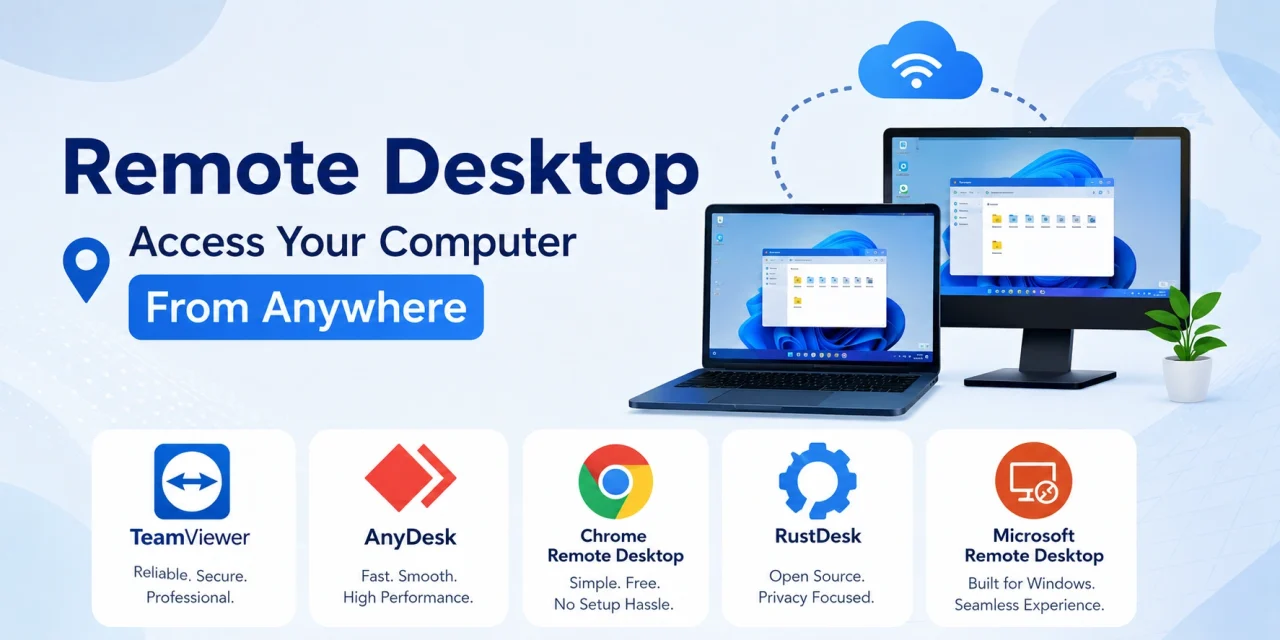
The ability to access a specific computer remotely has shifted from an IT professional tool to a mainstream productivity capability in 2026. Whether you need to retrieve a file from your office computer while travelling, help a family member troubleshoot a technical problem from across the country, or work on software that exists only on a specific machine, remote desktop apps provide secure access to any computer from any device with an internet connection. These five apps were tested for connection reliability, response latency, security, and ease of use across different network conditions.
TeamViewer – Best for Professional and Enterprise Remote Access
TeamViewer remains the most feature-complete remote desktop platform in 2026. The connection quality across varied network conditions – hotel wifi, 4G mobile data, and corporate VPN environments – is consistently superior to most alternatives. The platform supports remote access to Windows, Mac, Linux, Android, and iOS devices, making it the broadest cross-platform remote access solution available.
The 2026 version improved the AI-assisted support features that allow IT professionals to quickly identify system issues during remote sessions. Session recording, file transfer in both directions, and wake-on-LAN support for waking a sleeping computer before connecting are all included. The free version covers personal non-commercial use, while business licensing is required for professional deployment.
Download TeamViewer on the Play Store or App Store. Visit www.teamviewer.com for plan details.
AnyDesk – Best Speed and Performance
AnyDesk’s proprietary DeskRT codec produces lower latency remote desktop sessions than competing technologies in testing across multiple network conditions. The difference is most perceptible on activities that require visual responsiveness – scrolling through documents, moving windows, and typing with instant character echo. On a good broadband connection, AnyDesk sessions feel closer to local operation than any competitor.
The security architecture uses TLS 1.2 encryption with RSA 2048 asymmetric key exchange, meeting enterprise security standards without requiring complex configuration. The unattended access feature allows connecting to a remote computer without someone at the other end accepting the connection – useful for IT administrators managing multiple computers and for remote workers who need to access their office machine when the office is empty.
Download AnyDesk on the Play Store or App Store. Visit www.anydesk.com. Free for personal use.
Chrome Remote Desktop – Best Free No-Account Option
Google’s Chrome Remote Desktop is the simplest remote access solution for users who need occasional access to their own computers without any licensing cost or account registration beyond a Google account. Setup takes under five minutes – install the Chrome extension on the host computer, enable remote access, and the computer becomes accessible from any device through the Chrome Remote Desktop app.
The performance is adequate for file retrieval and basic application access but does not match AnyDesk or TeamViewer for latency-sensitive work. The lack of advanced features like file transfer, session recording, or multi-monitor support makes it appropriate for occasional personal use but insufficient for professional deployment. The zero cost and zero complexity are its primary advantages.
Download Chrome Remote Desktop on the Play Store or App Store. Visit remotedesktop.google.com. Completely free.
RustDesk – Best Open-Source Remote Desktop
RustDesk is the most significant open-source remote desktop application available in 2026, offering self-hosted relay server infrastructure that removes the dependency on a commercial provider’s servers for relaying connections. For privacy-conscious users and organisations that require data sovereignty, RustDesk’s self-hosting capability is the only remote desktop solution that keeps all connection data within your own infrastructure.
The connection performance on direct connections is excellent, matching AnyDesk’s latency characteristics. Relay connections through the public RustDesk servers are reliable but slower than direct connections. The feature set covers all basics including file transfer, audio, and clipboard sharing. The open-source nature and growing community have accelerated feature development significantly in 2026.
Download RustDesk on the Play Store or visit www.rustdesk.com for all platform downloads. Open-source code at github.com/rustdesk/rustdesk.
Microsoft Remote Desktop – Best for Windows to Windows Access
For users whose remote access scenario is specifically connecting to a Windows computer – typically an office machine running Windows 11 Pro or a Windows Server – Microsoft Remote Desktop provides the most natively integrated solution. The app connects directly using Windows Remote Desktop Protocol without requiring any additional software on the host machine beyond enabling the Remote Desktop feature in Windows settings.
Audio, printer, and clipboard redirection work natively. The experience of connecting to a Windows machine through Microsoft Remote Desktop is noticeably more seamless than connecting through a third-party app, particularly for applications that use Windows-specific interface conventions. The companion apps for Android and iOS are free.
Download Microsoft Remote Desktop on the Play Store or App Store. Visit www.microsoft.com for setup documentation.
Choosing the Right Remote Desktop App for Your Needs
For occasional personal access to your own computer at zero cost: Chrome Remote Desktop. For the fastest and most responsive remote sessions: AnyDesk. For professional IT support and enterprise multi-device management: TeamViewer. For full data control and self-hosted infrastructure: RustDesk. For Windows-to-Windows access as the primary scenario: Microsoft Remote Desktop. All five are free to start – test with your specific network environment and the remote computers you need to access before committing to a paid plan.