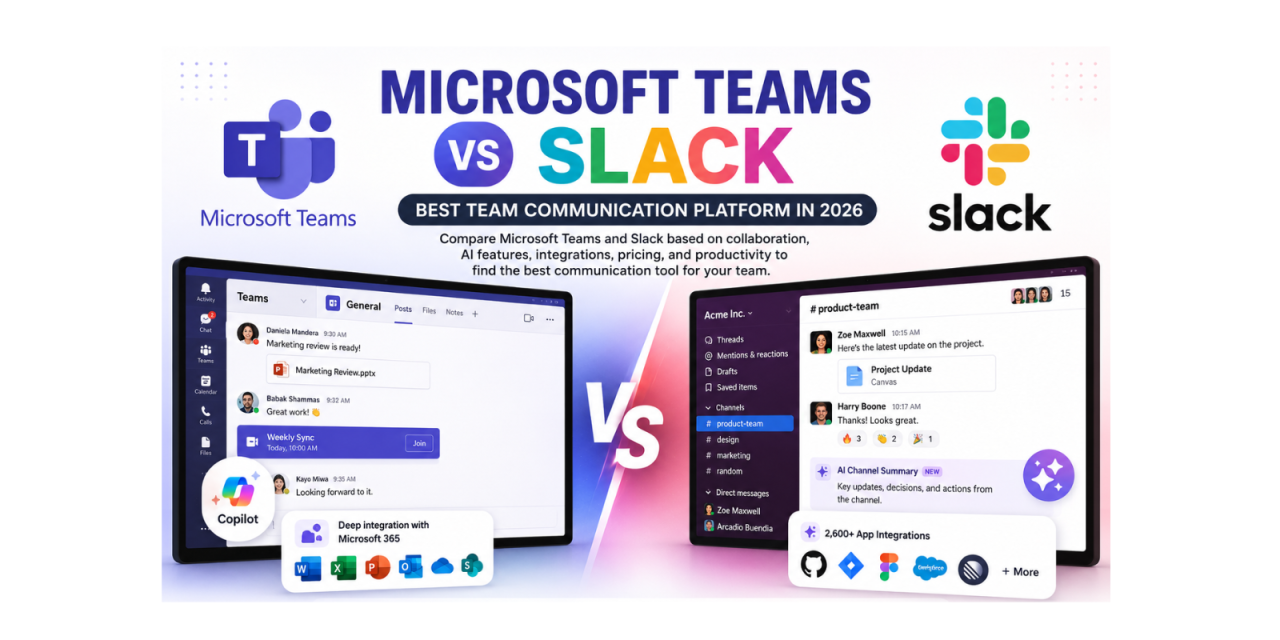
The team communication platform decision in 2026 is often framed as a straightforward cost comparison – Microsoft Teams comes free with many Microsoft 365 subscriptions while Slack requires a separate purchase. But this framing misses the dimensions that actually determine whether a communication tool enables or hinders team productivity. After testing both platforms extensively across real team workflows over sixty days, this comparison covers every dimension that matters beyond the headline pricing.
Microsoft Teams – The Integrated Enterprise Solution
Microsoft Teams’ dominant advantage in 2026 is its deep integration with the Microsoft 365 ecosystem. When your team lives in Word, Excel, PowerPoint, Outlook, SharePoint, and OneDrive daily, having Teams as the communication layer that connects all of these tools creates a unified productivity environment that competing communication platforms cannot match from outside the Microsoft ecosystem.
The Copilot AI features integrated into Teams in 2026 are the most practically useful in the enterprise communication category. Copilot provides real-time meeting transcription, automatically summarises what was discussed while you were away, generates meeting notes and action items, and searches across your entire Teams history and connected Microsoft 365 documents to answer questions. The integration with downstream Microsoft 365 apps – action items appearing automatically in Microsoft To Do, meeting transcripts saved to SharePoint – creates a meeting-to-action workflow that standalone communication tools cannot replicate.
For organisations deeply invested in the Microsoft 365 stack, Teams delivers meaningful productivity value beyond basic communication. The video meeting quality has improved significantly in 2026, with AI-powered noise cancellation, background blur, and Together Mode that places all participants in a shared virtual environment performing reliably in testing.
Microsoft Teams Limitations
The Teams user interface remains more complex than Slack’s and requires more onboarding time for new users to navigate efficiently. The channel and team structure that mirrors SharePoint’s architecture creates confusion for users who want simpler channel hierarchies. The notification management is less granular than Slack’s, making it harder to configure different notification behaviours for different channels and contexts without drilling through multiple settings menus.
Third-party integrations in Teams are functional but narrower than Slack’s ecosystem. For technology teams that need deep integrations with developer tools – GitHub, Jira, Figma, PagerDuty – the available Teams integrations are fewer and less sophisticated than Slack’s equivalents for the same platforms.
Slack – The Superior User Experience
Slack’s user experience in 2026 is meaningfully better than Teams for the day-to-day experience of sending and reading messages. The channel organisation is cleaner, the search is faster and returns more relevant results, and the notification controls are more granular – different notification sounds and badges per workspace, per channel, and per keyword all configurable independently.
The AI Channel Summaries feature is genuinely one of the most useful AI additions to any business communication tool in 2026. Returning to a busy channel after being absent – whether from a meeting, a day off, or just being focused on a different project – produces a single-click summary of everything that happened, key decisions made, and open questions that still need attention. The accuracy in testing was impressive: approximately 85% of the time the summary captured the genuinely important information without burying it in detail.
Slack’s third-party integration ecosystem remains the most extensive in business communication. The Slack App Directory covers 2,600+ integrations in 2026, with high-quality integrations for GitHub, Jira, Linear, Figma, Salesforce, HubSpot, and virtually every developer and business tool that technology companies use. The quality difference between Slack’s GitHub integration and Teams’ equivalent is particularly noticeable for software development teams.
Pricing Reality in 2026
The pricing comparison is more nuanced than the ‘Teams is free’ narrative suggests. Teams Basic is free but lacks many features that make it useful for professional teams – meeting recording, transcript history, and advanced admin controls all require paid Microsoft 365 plans. Slack’s Pro plan at eight dollars and seventy-five cents per user per month provides its core feature set. For organisations already paying for Microsoft 365 Business Premium or Enterprise plans that include Teams at full feature level, the effective additional cost of Teams is zero. For organisations not already in the Microsoft 365 ecosystem, the pricing comparison is more balanced.
Which to Choose in 2026
- Organisations already using Microsoft 365 Business Premium or Enterprise: Teams for zero additional cost and Copilot integration value
- Technology companies and startups with heavy developer tool usage: Slack for superior GitHub, Jira, and Linear integrations
- Remote-first teams prioritising async communication quality: Slack for better notification management and AI summaries
- Organisations where video meetings are the primary communication mode: Teams has caught up significantly and performs well
- Small businesses choosing their first team communication tool: test both free tiers for 30 days with a real team before committing
Start Slack free at www.slack.com. Download on the Play Store or App Store. Microsoft Teams is available at www.microsoft.com/teams.