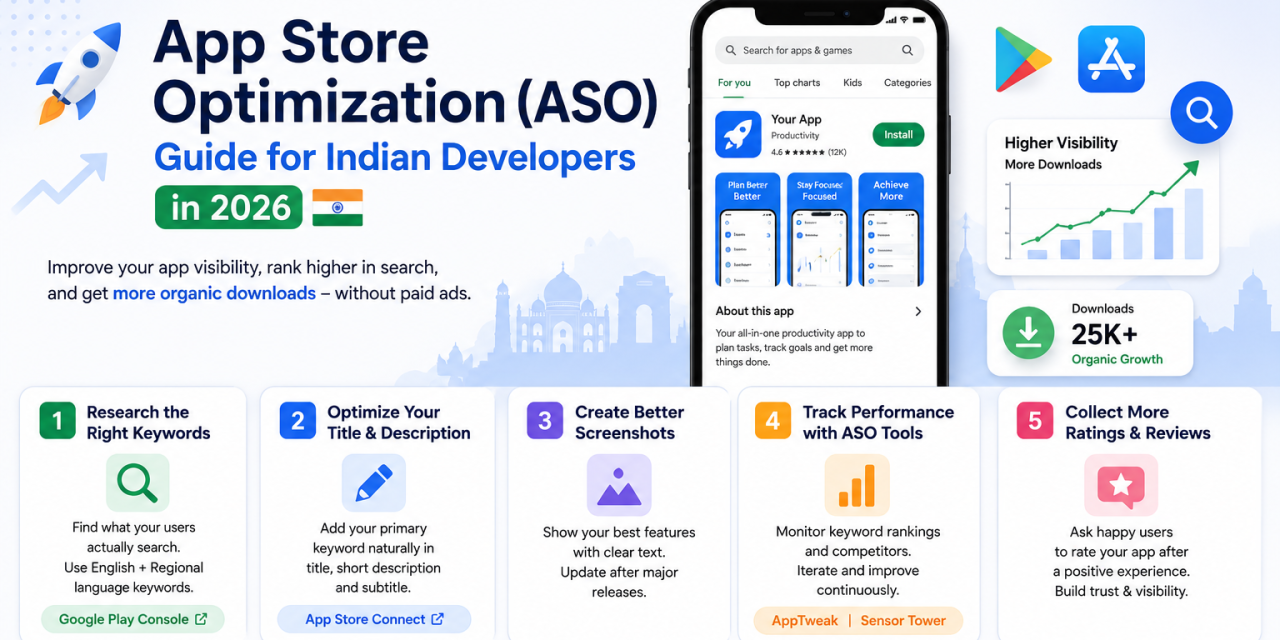
A huge number of Indian indie developers spend months building a solid app, publish it, and then wonder why downloads never take off. Often the problem isn’t the app itself, it’s an app store listing that’s invisible to search, buried under thousands of competing apps targeting the exact same audience. App Store Optimization, or ASO, is how you fix that without spending a single rupee on ads, and it matters even more in India’s crowded, price-sensitive app market where paid user acquisition costs have climbed sharply over the past few years. This guide walks through the fundamentals that actually move the needle, based on what consistently works for indie developers publishing to both Google Play and the App Store.
Start with keyword research, not guesswork
Before writing a single line of your app description, search Google Play and the App Store for the terms your target users would actually type, not the terms you’d use internally as a developer. Indian users often search in a mix of English and regional phrasing, so testing both is worth the extra effort.
Optimize your title and short description first
Your app title carries the most ASO weight of any field, so your primary keyword should appear naturally within it rather than being stuffed in as an afterthought. The short description on Android and subtitle on iOS matter almost as much, since both are indexed for search ranking.
Treat screenshots as a second sales pitch
Most users decide whether to download within seconds of scanning your screenshots, not your description text. Lead with your strongest feature, add short text overlays explaining benefits rather than just showing UI, and update screenshots whenever you ship a major redesign.
Track rankings and iterate with dedicated ASO tools
Tools like AppTweak, App Radar, and Sensor Tower let you track keyword rankings over time and see what competitors are targeting. Even the free tiers of these tools are usually enough for a solo developer to spot which keywords are worth chasing.
🔗 AppTweak | Sensor Tower
Ratings and reviews compound over time
Both stores factor recent rating velocity into ranking, so a simple in-app prompt asking happy users to rate after a positive action, like completing a task successfully, can meaningfully move your visibility over a few months.
Common ASO Mistakes to Avoid
Keyword stuffing your app title or description in an attempt to rank for everything at once usually backfires, since both Google Play and the App Store penalize listings that read as unnatural or spammy rather than genuinely descriptive. Another common mistake is ignoring localization entirely, even a basic Hindi or regional-language translation of your listing can meaningfully expand your addressable audience across Tier 2 and Tier 3 Indian cities where English-only listings underperform. Developers also frequently forget to update their listing after major feature releases, leaving outdated screenshots that no longer reflect what the app actually does, which quietly increases both bounce rate and uninstalls from users expecting something different. Treat your store listing as a living asset that needs the same attention as your actual codebase, not a one-time task you complete at launch and forget about.
ASO isn’t a one-time setup, it’s an ongoing process of testing, watching what moves the needle, and adjusting your listing every few months as competitors change their own keywords and creative. For Indian developers competing against well-funded apps with much bigger marketing budgets, it remains one of the few genuinely free growth levers still available in 2026, and it compounds over time in a way paid ads never do. Set a recurring reminder every quarter to revisit your title, screenshots, and keyword rankings, because a listing that worked perfectly a year ago can quietly lose visibility as the store’s algorithm and your competitors both keep evolving.