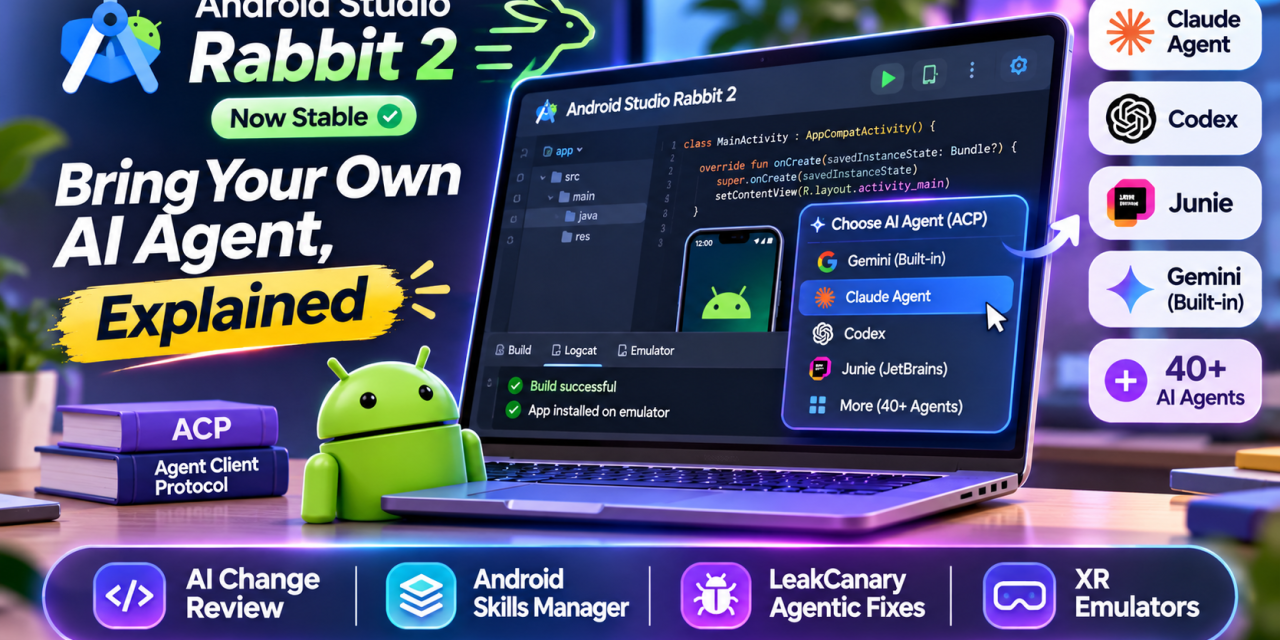
Android developers no longer have to use Google’s AI assistant inside Google’s IDE. Android Studio Rabbit 2, which reached the stable channel on 28 October, lets you plug in your own coding agent, such as Claude Agent or OpenAI’s Codex, and point it at the emulator, build system and Logcat. For Indian app teams already paying for one AI tool, that could mean one less subscription and one less context switch.
Here is what changed, how to set it up, and what to check before you trust an outside agent with your codebase.
What Is New in Android Studio Rabbit 2
Google calls the headline feature Bring Your Own Agent. Android Studio now works with what Google describes as more than 40 coding agents. Named options include Claude Agent, Codex, JetBrains’ Junie and Google Antigravity, alongside the built-in Gemini agent.
The release also adds:
- AI Change Review: a guided walkthrough that groups related diff chunks into themes, so you can review what an agent changed before you commit.
- Android skills manager: install and manage “skills”, packaged workflows that teach agents Android-specific tasks.
- LeakCanary agentic fixes: the built-in agent can diagnose memory leaks from the Profiler and suggest code changes.
- Stable XR emulators: for XR glasses, audio glasses and display glasses.
Source: Android Developers Blog
How Bring Your Own Agent Works
The feature rests on the Agent Client Protocol (ACP), an open standard created by the team behind the Zed editor and released under the Apache licence. JetBrains later joined the effort. ACP does for AI agents roughly what the Language Server Protocol did for code completion: any agent that speaks it can run inside any editor that supports it.
Under this model, the IDE controls the agent’s access to files, the terminal and other tools. You see the agent’s plans and diffs and approve what runs. Zed lists editors such as JetBrains IDEs, VS Code and Neovim, so a team can keep one agent across different editors.
Source: Zed
How to Set Up Your Agent in Android Studio Rabbit 2
- Update to the stable Android Studio Rabbit 2 build.
- Open the agent window and pick your agent, or go to Settings > Tools > AI > Agents.
- Sign in with the agent provider and send your first prompt.
- Start with a low-risk task, like summarising your module structure, before asking for code changes.
Third-party agents bill through their own providers, so check what your existing plan or API key covers. If you stay with Gemini, Google’s free Individual tier still suits students and freelancers. A Gemini API key, a qualifying Google One plan or a Business plan raises the limits.
Source: Android Developers
What It Means for Indian Android Teams
Many Indian agencies and IT services teams have already standardised on one AI coding tool through an enterprise agreement. Google itself cites cost efficiency and existing enterprise contracts as reasons to let developers choose. Rabbit 2 lets those teams use that tool inside Android Studio instead of switching to another editor for AI work.
There is a security side, though. An agent with emulator, build and terminal access can do real damage if it is careless or misled. Keep these rules:
- Keep release signing keys and production secrets out of the agent’s workspace.
- Read every proposed shell command and build script change before approving it.
- Check each provider’s data retention terms, especially for client code under NDA.
- Treat agent output as a draft. Code review, tests and branch protection still decide what ships.
Google’s enterprise guarantees, including no training on your source code and audit logs, apply to Gemini Enterprise. Outside agents fall under their own providers’ terms.
Source: Android Developers Blog
The Takeaway
Android Studio Rabbit 2 turns the IDE into an open platform for AI agents rather than a single-vendor assistant. If your team already uses an ACP-compatible agent, try it on a non-critical branch this week. Then set clear review rules before you let any agent touch release builds.