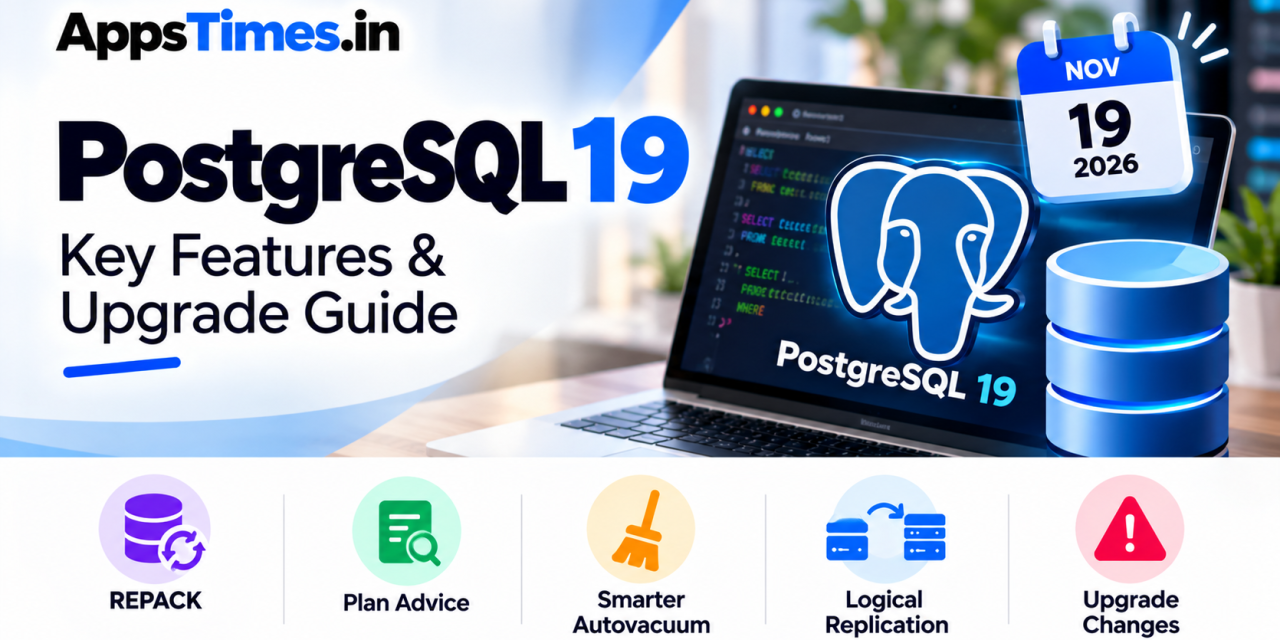
PostgreSQL 19 is almost here. The PostgreSQL Global Development Group shipped Release Candidate 1 on 15 October 2026 and is targeting general availability on 19 November, so the PostgreSQL 19 features are now effectively frozen. For Indian teams running Postgres behind SaaS products, fintech apps or analytics stacks, this is the window to test the release before it lands in production.
The timing matters for another reason. PostgreSQL 14 reaches end of life on 12 November 2026, a week before version 19 is due. If you are still on 14, you have one upgrade to plan, and you may as well plan it with 19 in view.
Source: PostgreSQL.org
The Headline PostgreSQL 19 Features
The official release notes list several changes that will matter to day-to-day database work:
- REPACK command: A built-in way to reclaim disk space and reorganise a table. With
REPACK (CONCURRENTLY), reads and writes continue while the table is rebuilt. - Plan advice: The new
pg_plan_adviceextension lets you steer planner decisions such as join order and scan method, andpg_stash_adviceapplies that advice automatically to matching queries. - Smarter autovacuum: Indexes of a table can now be vacuumed in parallel, and a new scoring system decides which tables autovacuum handles first.
- Read-your-writes on standbys: A new
WAITcommand lets an application read from a replica and still see the data it has just written. - Performance work: I/O worker processes now scale automatically, foreign-key checks are quicker, and there are further planner and executor optimisations.
Source: PostgreSQL Release Notes
Why REPACK and Plan Advice Stand Out
Until now, shrinking a bloated table meant VACUUM FULL or CLUSTER, both of which lock the table, or the third-party pg_repack extension. REPACK brings that job into core. Bytebase notes that the concurrent mode uses a replication slot, so a slow run can hold back WAL; keep an eye on slot lag during maintenance.
Plan advice answers a long-standing complaint: a query that runs well for months and then slows down because the planner picks a different plan. You can now pin the good plan for a handful of known problem queries. Bytebase suggests using it sparingly, because applying advice has its own cost.
Source: Bytebase
Replication Gets Easier
Logical replication can now be switched on without a server restart when wal_level is set to replica. Sequence values can also be replicated, which removes a common manual step in zero-downtime migrations. Sequences sync when you run ALTER SUBSCRIPTION ... REFRESH SEQUENCES, so add that to your cutover checklist.
What Could Break When You Upgrade
Moving to 19 from any earlier version needs pg_upgrade, a dump and restore, or logical replication. Check these changes first:
| Change | What to do |
|---|---|
| JIT is off by default | Turn it on manually if you run many large analytical queries |
max_locks_per_transaction default rises from 64 to 128 |
Double any custom value to keep the same lock capacity |
| RADIUS authentication removed | Move to another authentication method before upgrading |
btree_gist indexes on inet/cidr |
pg_upgrade rejects these clusters, so rebuild those indexes first |
standard_conforming_strings forced on |
Recreate old dumps that were taken with the setting off |
Default TOAST compression also moves from pglz to LZ4, which you can change through default_toast_compression.
Source: PostgreSQL Release Notes
Release Timeline and What to Do Now
- 15 October: RC1 released
- 12 November: RC2 expected, alongside the update release; PostgreSQL 14 reaches end of life
- 19 November: Planned general availability, unless an issue forces a delay
Spin up RC1 in a staging environment, restore a recent production copy and run your slowest queries against it. Pay special attention to JIT-heavy reports and lock settings. Managed cloud services usually add new major versions some time after the community release, so check your provider’s roadmap before committing to a date.
Source: PostgreSQL Versioning Policy
The Takeaway
PostgreSQL 19 features are aimed squarely at the people who run databases in production: less locking during maintenance, more control over the planner and simpler replication. Test now, fix the upgrade blockers early, and you can move straight from 14 or 15 to 19 once it ships.