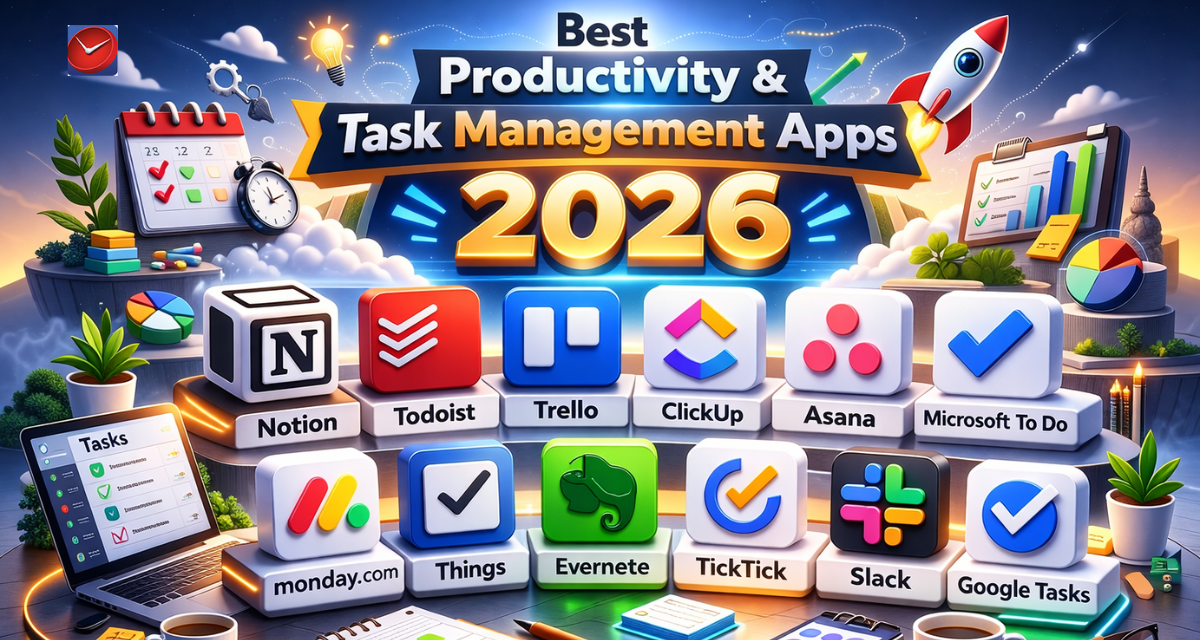
Indians lose an average of 2.3 hours daily to disorganization, scattered tasks, and inefficient workflows—time that could translate to personal projects, family moments, or career advancement. The productivity app market has exploded to 145 million Indian users in 2026, as professionals, students, and entrepreneurs seek digital solutions to manage increasingly complex lives. From simple to-do lists to sophisticated project management systems, these apps promise to reclaim lost hours and reduce mental clutter. This comprehensive guide explores the best productivity and task management apps dominating 2026, helping you discover tools that match your workflow style and organizational needs.
Why Productivity Apps Are Essential in 2026
The modern Indian professional juggles multiple responsibilities—corporate projects, side hustles, personal goals, family commitments, and social obligations. Traditional paper planners and mental task lists fail when managing 40+ active tasks across different life domains. Productivity apps solve this by centralizing tasks, automating reminders, enabling collaboration, and providing visual progress tracking that motivates consistency. Research shows users of task management apps complete 33% more tasks and report 41% less stress compared to non-users. For India’s booming startup ecosystem and gig economy workers, productivity tools have become non-negotiable for staying competitive. Entrepreneurs researching trending app ideas for 2026 should note the productivity sector generated ₹1,850 crore in India during 2024, driven by remote work normalization and entrepreneurial growth. Understanding effective app monetization strategies reveals how productivity platforms successfully balance free tiers with premium features that power users gladly pay for monthly.
Todoist: The Gold Standard for Task Management
Best For: Personal task management with cross-platform synchronization
Pricing: Free for basic use; Pro ₹333/month or ₹3,999/year
Key Features:
- Natural language input creating tasks from sentences like “Review report tomorrow 3pm”
- Priority levels and custom labels organizing tasks by context or energy level
- Project templates for recurring workflows like weekly planning or content creation
- Productivity visualization showing completion trends and streaks for motivation
- Integration with 80+ apps including Gmail, Slack, Google Calendar, and Alexa
Standout Feature: Karma system gamifies productivity by tracking task completion rates and maintaining streaks
Todoist strikes the perfect balance between simplicity and power, making it ideal for individuals managing personal and professional tasks without team collaboration needs. The natural language processing understands context—typing “Call mom every Sunday” creates a recurring weekly task automatically. The app’s clean interface reduces cognitive load while robust filtering and search make finding specific tasks effortless. Todoist’s strength lies in consistency across devices—start a task on your laptop, update it on your phone, complete it on your tablet with seamless synchronization. Pro features add reminders, file uploads, labels, and productivity trends showing your most productive days and times.
Download Todoist for iOS | Download Todoist for Android | Visit Todoist Official Website
Notion: The All-in-One Workspace
Best For: Creating custom workflows, databases, and knowledge repositories
Pricing: Free personal use; Plus ₹666/month, Business ₹1,250/month per user
Key Features:
- Flexible blocks system combining text, databases, kanban boards, calendars, and media
- Template gallery with 5,000+ community-created setups for any use case
- Relational databases linking information across different projects and areas
- Real-time collaboration with comments, mentions, and permission controls
- Web clipper saving articles and resources directly into your Notion workspace
Standout Feature: Infinite customization allowing you to build exactly the system you need
Notion transcends simple task management to become your entire digital workspace—combining notes, wikis, databases, and project management in one infinitely flexible platform. Users build personalized systems for life management, from simple task lists to complex CRM databases tracking client relationships. The learning curve is steeper than basic to-do apps, but the payoff is a workspace perfectly tailored to your thinking style. Popular use cases include content calendars for creators, habit trackers, reading lists, personal CRMs, and comprehensive life operating systems. Notion’s collaboration features make it excellent for small teams needing shared knowledge bases. For developers exploring development frameworks, Notion demonstrates how block-based editors and relational databases create powerful yet accessible tools.
Download Notion for iOS | Download Notion for Android | Visit Notion Official Website
Microsoft To Do: Simple and Integrated
Best For: Microsoft ecosystem users wanting seamless integration
Pricing: Completely free
Key Features:
- My Day feature focusing attention on daily priorities without overwhelm
- Automatic sync with Outlook tasks, emails, and calendar events
- List sharing for collaborative projects like household tasks or event planning
- Step-by-step subtasks breaking complex projects into manageable actions
- Customizable themes and backgrounds personalizing your task environment
Standout Feature: Deep integration with Microsoft 365 ecosystem for seamless workflow
Microsoft To Do replaces the legacy Wunderlist with a cleaner, more integrated experience perfect for Microsoft users. If you use Outlook for email, the app automatically surfaces flagged emails as tasks, creating unified task management across communication and action items. The “My Day” feature encourages daily planning by prompting you to select today’s priorities from your master list—psychological research shows this improves task completion by reducing decision fatigue. Microsoft To Do’s simplicity makes it accessible for productivity beginners while offering enough features for power users. The completely free model with no premium upsells makes it exceptional value, especially for students and budget-conscious professionals.
Download Microsoft To Do for iOS | Download Microsoft To Do for Android | Visit Microsoft To Do Official Website
Trello: Visual Project Management
Best For: Team collaboration and visual workflow management
Pricing: Free up to 10 boards; Standard ₹416/month, Premium ₹833/month per user
Key Features:
- Kanban-style boards organizing tasks into customizable columns (To Do, Doing, Done)
- Power-Ups adding functionality like calendar views, automation, and time tracking
- Card assignments, due dates, checklists, and file attachments
- Templates for common workflows like agile sprints, content calendars, or hiring pipelines
- Butler automation creating rules that move cards and update fields automatically
Standout Feature: Highly visual interface making project status immediately clear at a glance
Trello revolutionized project management by making complex workflows visual and intuitive through its card-and-board system. Each card represents a task that moves through workflow stages—perfect for content creation pipelines, software development sprints, or sales funnels. Teams love Trello because everyone sees project status in real-time without status meetings. The flexibility allows infinite customization—marketing teams track campaigns differently than engineering teams track bugs, and Trello accommodates both. Power-Ups extend functionality with integrations for Slack, Google Drive, time tracking, and voting. For entrepreneurs building apps through our app startup guide, Trello demonstrates how visual design reduces complexity and improves user adoption.
Download Trello for iOS | Download Trello for Android | Visit Trello Official Website
Things 3: Premium Task Management for Apple Users
Best For: Apple ecosystem users wanting elegant design and powerful features
Pricing: One-time purchase: iPhone ₹833, iPad ₹1,666, Mac ₹4,166
Key Features:
- Today, Upcoming, and Anytime views organizing tasks by temporal relevance
- Projects and areas separating one-time goals from ongoing responsibilities
- Checklists within tasks breaking complex projects into sequential steps
- Tags providing flexible categorization beyond project hierarchies
- Calendar integration showing scheduled tasks alongside appointments
Standout Feature: Award-winning design combining beauty with thoughtful user experience
Things 3 represents the pinnacle of task management design—every pixel serves purpose, every animation feels natural, and the overall experience delights users daily. The app won Apple Design Awards for its exceptional attention to detail and intuitive workflows. Things 3’s philosophy centers on simplicity with depth—quick entry for simple tasks, extensive customization for complex projects. The one-time purchase model (no subscriptions) appeals to users tired of perpetual payments, though the upfront cost is significant. Things 3 only works in Apple’s ecosystem (no Android or Windows), making it suitable only for committed Apple users. The app’s keyboard shortcuts make power users incredibly efficient at task capture and organization.
Download Things 3 for iOS | Download Things 3 for Mac | Visit Things 3 Official Website
TickTick: Feature-Packed Todoist Alternative
Best For: Power users wanting advanced features at lower prices
Pricing: Free with limits; Premium ₹229/month or ₹2,299/year
Key Features:
- Built-in Pomodoro timer helping maintain focus during work sessions
- Calendar view showing tasks alongside scheduled events
- Habit tracker monitoring daily routines and building consistency
- Shared lists and task assignments for family or team collaboration
- Smart date parsing understanding “next Monday” or “in 3 days”
Standout Feature: Combines task management, calendar, habit tracking, and Pomodoro timer in one app
TickTick packs incredible value, offering features that competitors charge significantly more for or split across multiple apps. The integrated Pomodoro timer encourages focused work blocks—select a task, start a 25-minute timer, minimize distractions. The habit tracker helps build consistent routines by logging daily completions and visualizing streaks. TickTick’s calendar integration is superior to most competitors, showing tasks and events unified in weekly or monthly views. The app works flawlessly across all platforms including Windows, Mac, Linux, iOS, Android, and web browsers. Premium pricing is more affordable than Todoist while offering comparable functionality plus extras like calendar views and white noise focus sounds.
Download TickTick for iOS | Download TickTick for Android | Visit TickTick Official Website
Any.do: Minimalist Task Management
Best For: Users wanting simple, beautiful task management without complexity
Pricing: Free basic features; Premium ₹499/month or ₹2,999/year
Key Features:
- Daily planner prompting morning review of today’s tasks
- Voice entry creating tasks hands-free while driving or commuting
- Grocery shopping mode organizing items by store sections
- WhatsApp integration sharing tasks and lists with family or colleagues
- Moment feature encouraging daily planning reflection
Standout Feature: Exceptional voice recognition understanding natural speech patterns
Any.do emphasizes simplicity and daily rituals over complex project management. The app’s “Plan Your Day” feature encourages a morning routine—review today’s tasks, reschedule or delete what’s unrealistic, focus on priorities. This daily planning ritual significantly improves task completion compared to letting tasks pile up. Voice entry works remarkably well, understanding Indian accents and converting speech to tasks accurately. The WhatsApp integration is genius for Indian users—share grocery lists with spouses or project tasks with colleagues through their preferred communication app. Any.do suits individuals and families more than professional teams, focusing on life management over business workflows. For those interested in no-code app builders, Any.do demonstrates how focusing on specific use cases creates differentiation in crowded markets.
Download Any.do for iOS | Download Any.do for Android | Visit Any.do Official Website
How to Choose the Right Productivity App
Identify your primary need: personal task management (Todoist, Things 3, TickTick), team collaboration (Trello, Notion), or ecosystem integration (Microsoft To Do for Windows users, Things 3 for Apple users). Consider complexity tolerance—Notion offers maximum customization but requires learning investment, while Any.do provides immediate simplicity. Evaluate pricing models: one-time purchases (Things 3) versus subscriptions (Todoist, Notion). Try free versions extensively before paying—productivity apps are deeply personal, and what works for others may not suit your thinking style. Avoid app-hopping; commit to one system for at least 30 days before judging effectiveness, as productivity improvements require habit formation.
The Future of Productivity Apps
AI assistants will revolutionize task management by auto-prioritizing based on deadlines, energy levels, and historical completion patterns. Expect predictive scheduling suggesting optimal times for specific task types based on your productivity rhythms. Voice-first interfaces will become primary interaction methods, allowing complete task management without typing. Integration depth will increase—productivity apps will connect with email, calendar, messaging, project management, and CRM tools creating unified work hubs. Gamification will expand beyond simple streaks to comprehensive productivity scoring systems motivating consistent improvement through friendly competition and achievement systems.
Conclusion
Reclaiming lost hours and reducing mental clutter requires the right productivity system tailored to your needs. Start with a free option matching your workflow style, commit to daily usage, and gradually build organizational habits. Productivity apps don’t magically create time—they reveal where time goes and create accountability for using it intentionally. Your most productive year starts today